 Cobalt
Azure DevOps, beautifully mobile.
Cobalt is an Azure DevOps app for iPhone and iPad. Review and complete a pull request, move a work item along, approve a deployment or read a failed build's log, all without reaching for a laptop.
Free, for good · For iPhone and iPad · Requires iOS 26
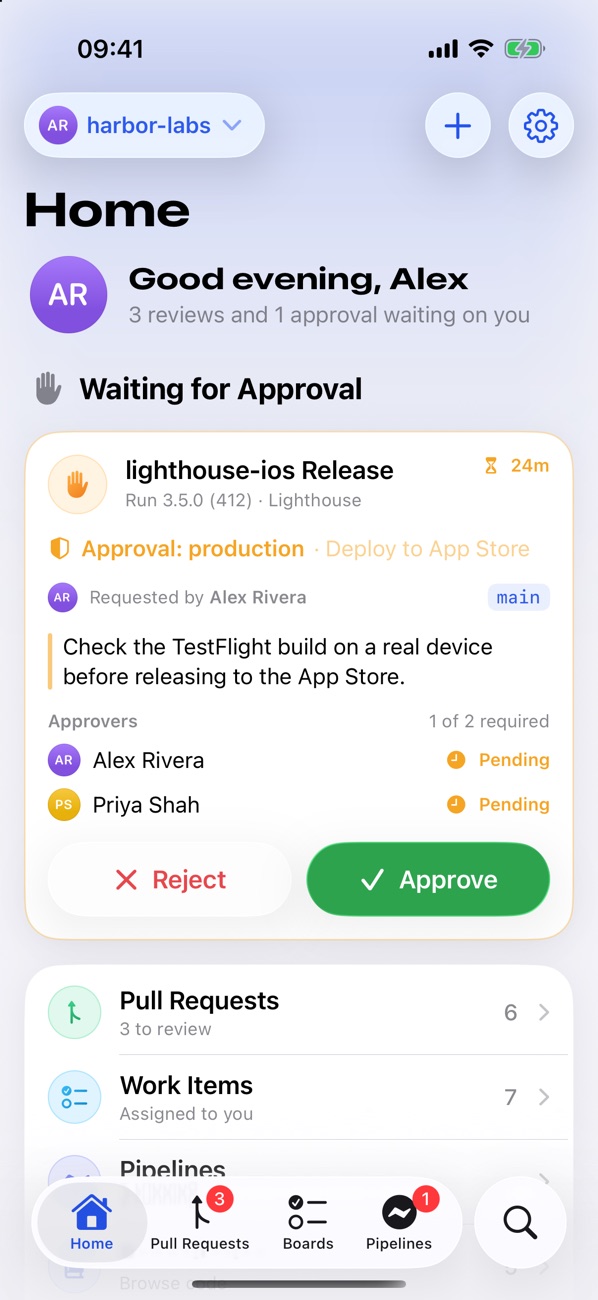
The whole of Azure DevOps, made for a phone.
Not a squeezed-down website. Cobalt is a native app built around the jobs you actually do between meetings and on the train.
Pull requests
Everything assigned to you or created by you, with descriptions, reviewers, votes, checks and linked work items.
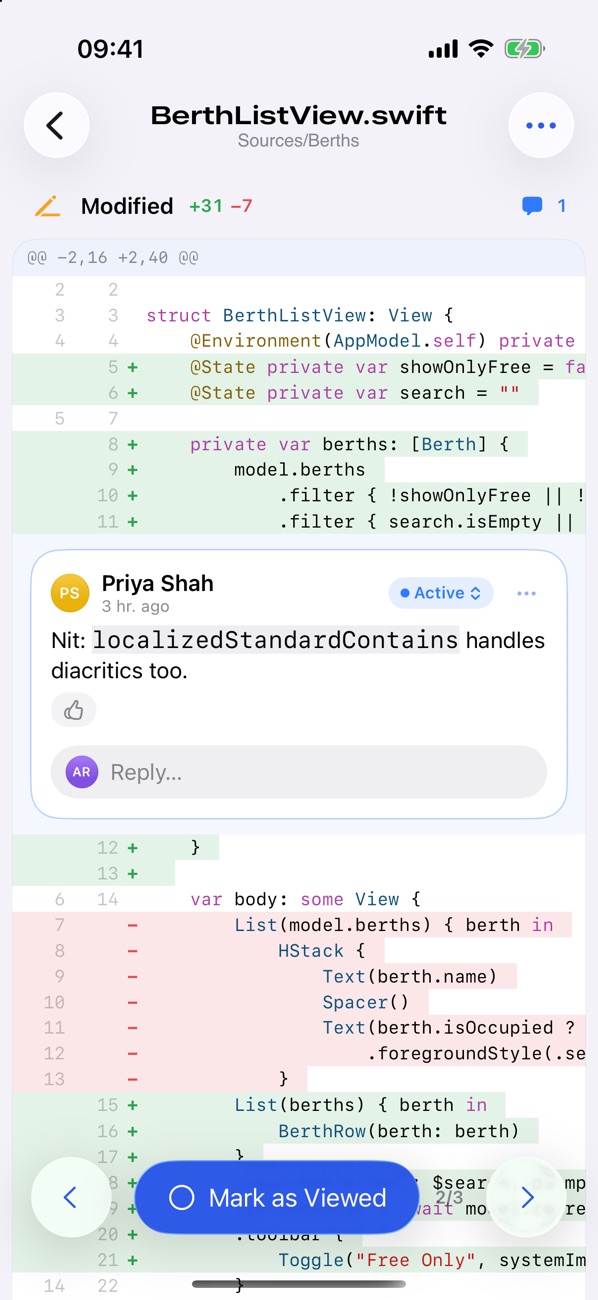
Real diffs
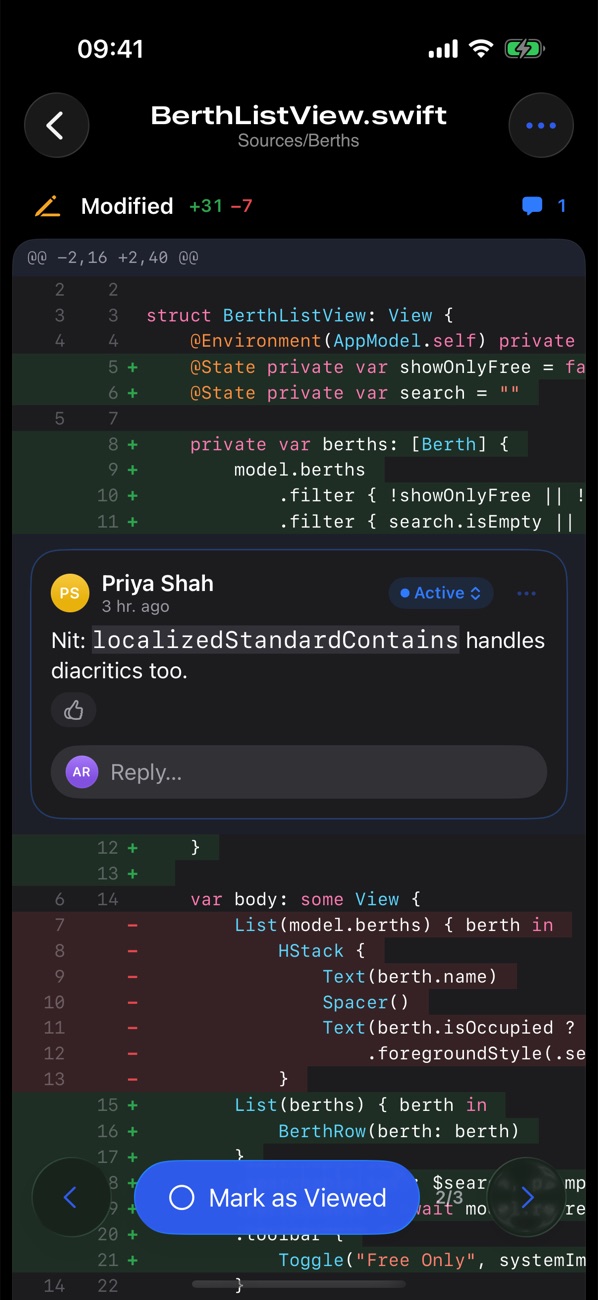
Syntax-highlighted diffs with comment threads under their lines. Tap any line to comment, and mark files as viewed.
Vote and complete
Approve, wait for author or reject. Complete with merge, squash or rebase, or set auto-complete and walk away.
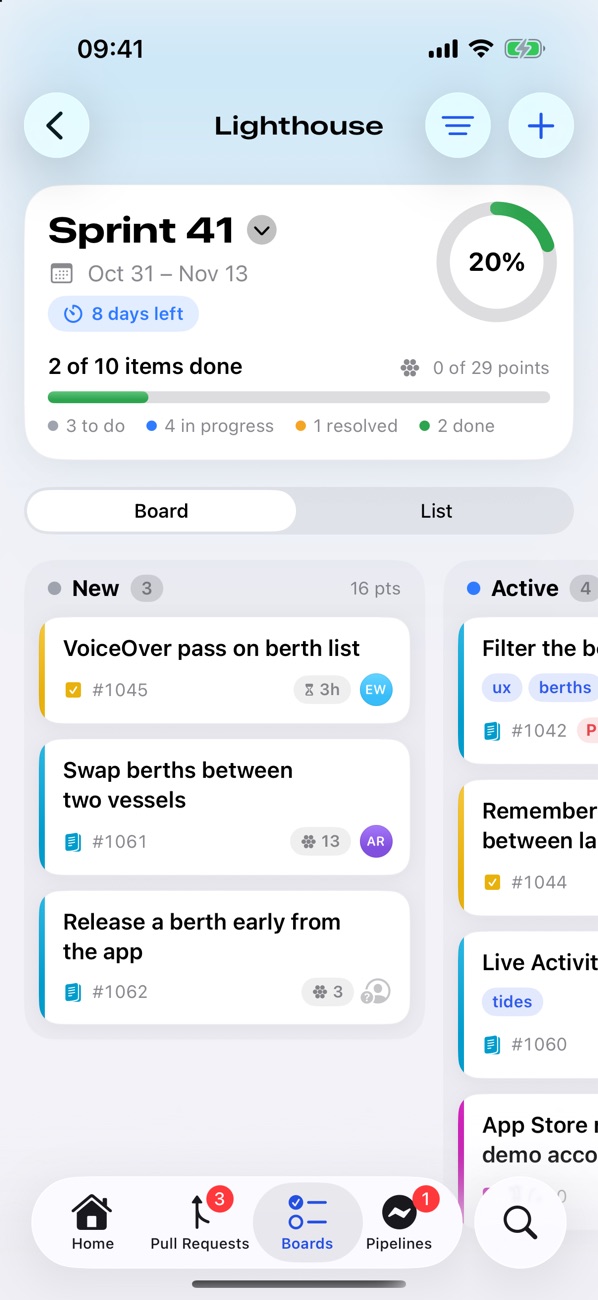
Boards and sprints
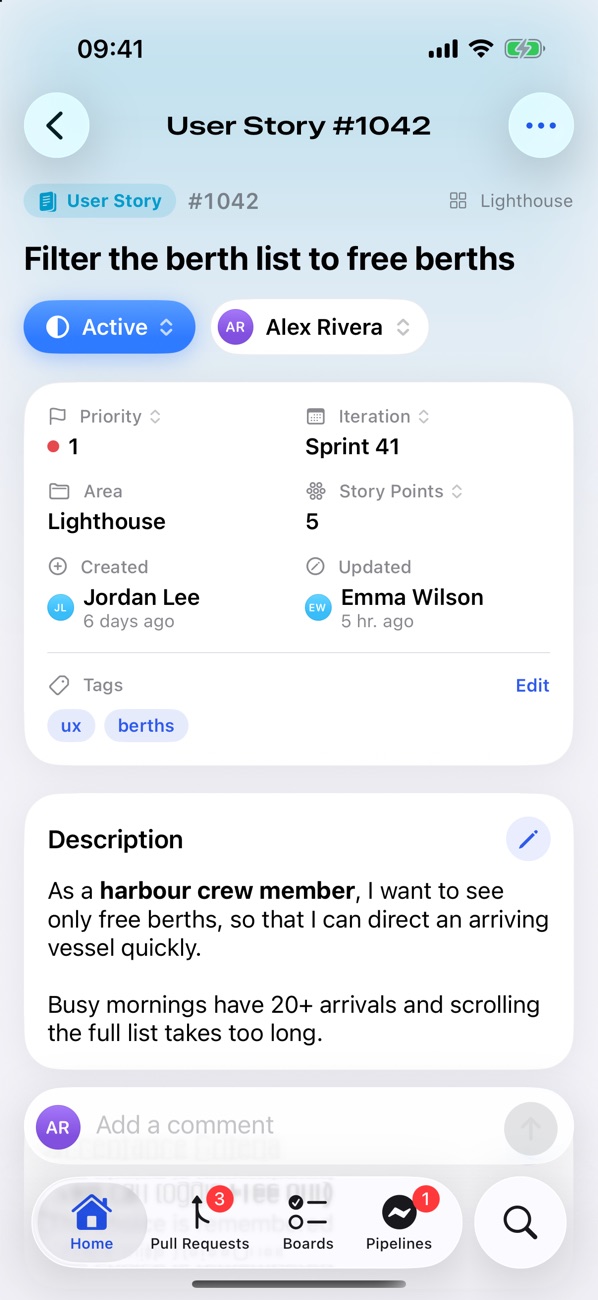
Your work items, the current sprint as a board or a list, saved queries, and quick edits to state, assignee and fields.
Pipelines, live
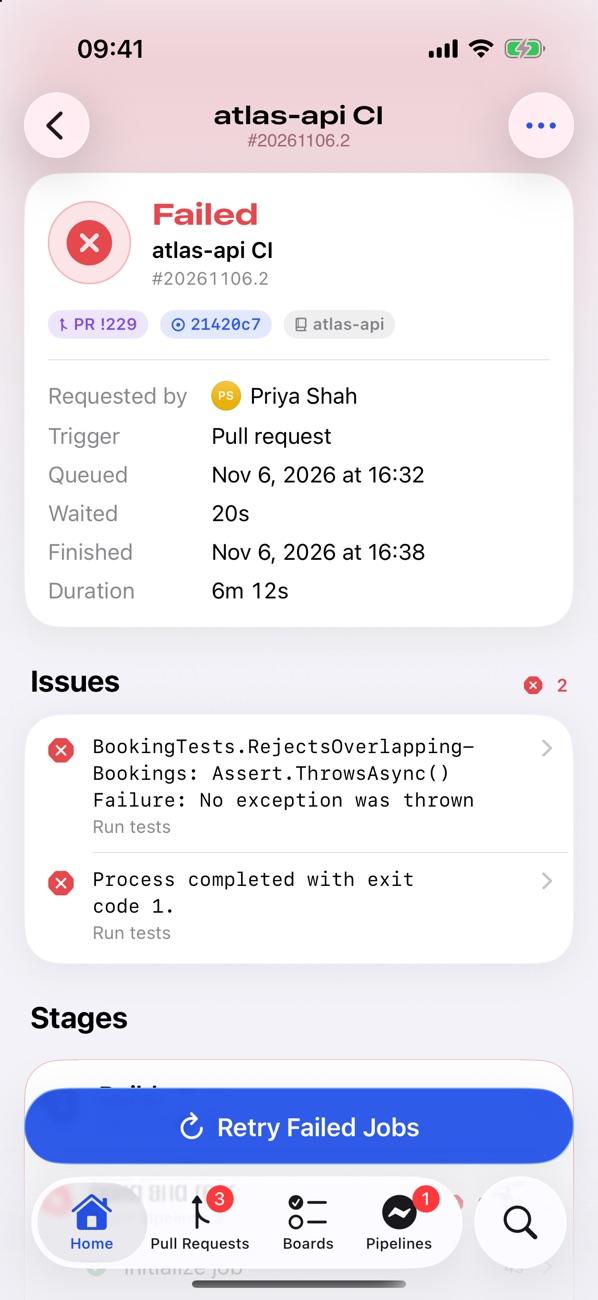
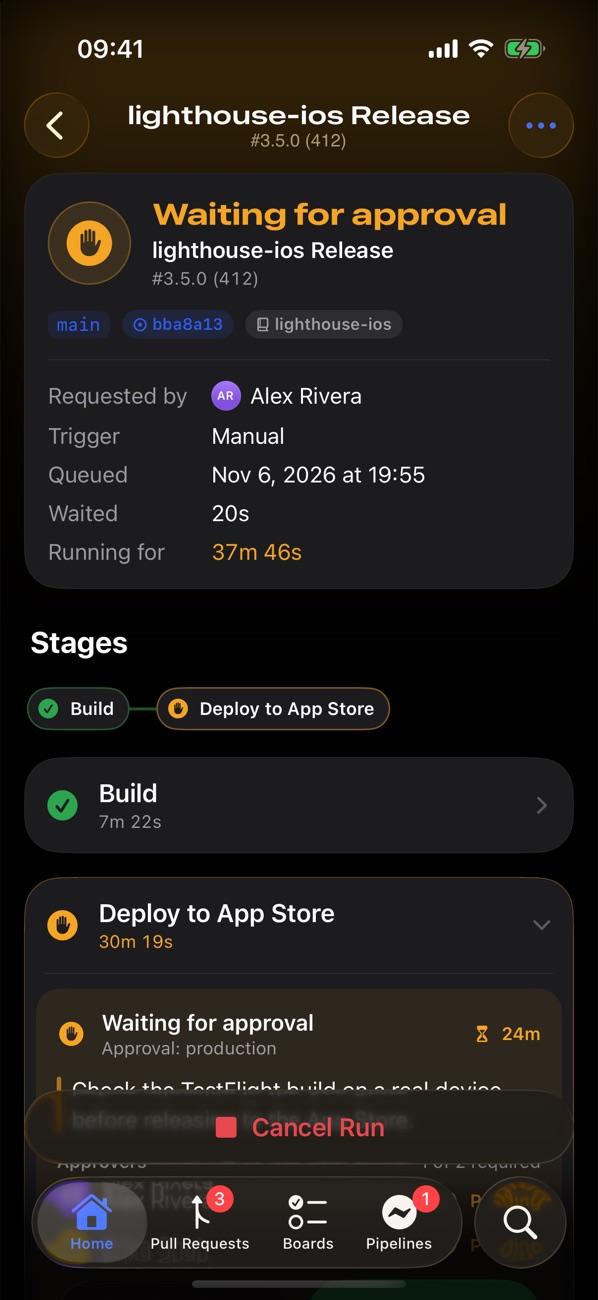
Stages, jobs and tasks update as a run goes. Run a pipeline on any branch, cancel it, or retry what failed.
Logs that read well
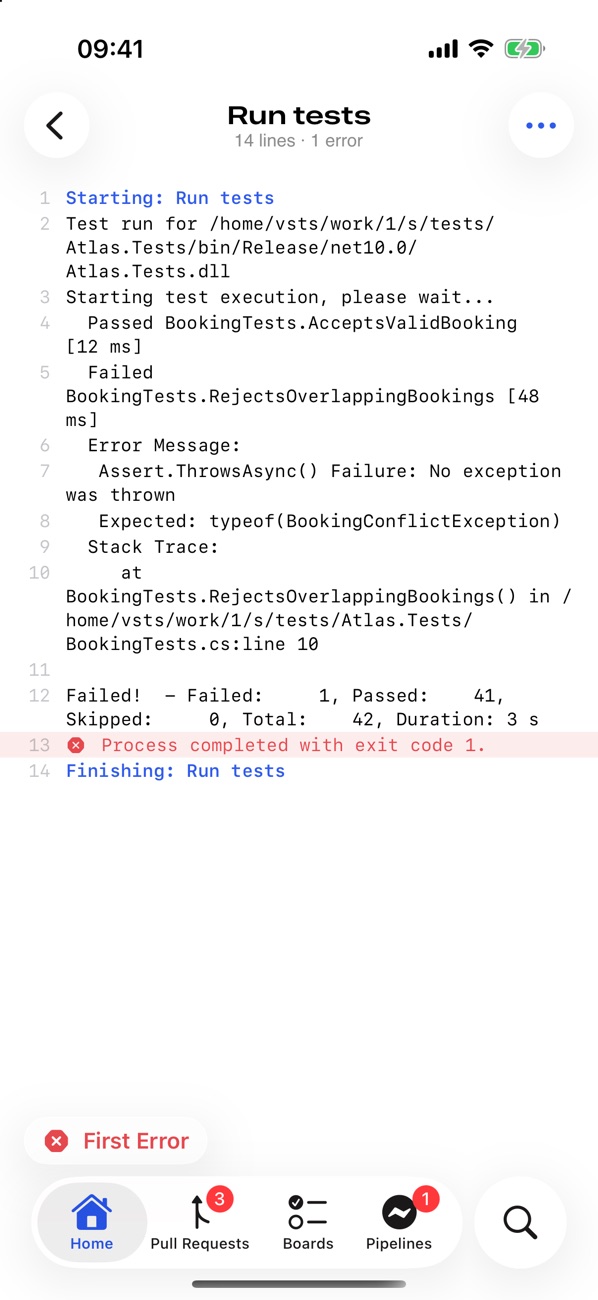
Errors and warnings in colour, search with next and previous, and a jump straight to the first error.
Approve deployments
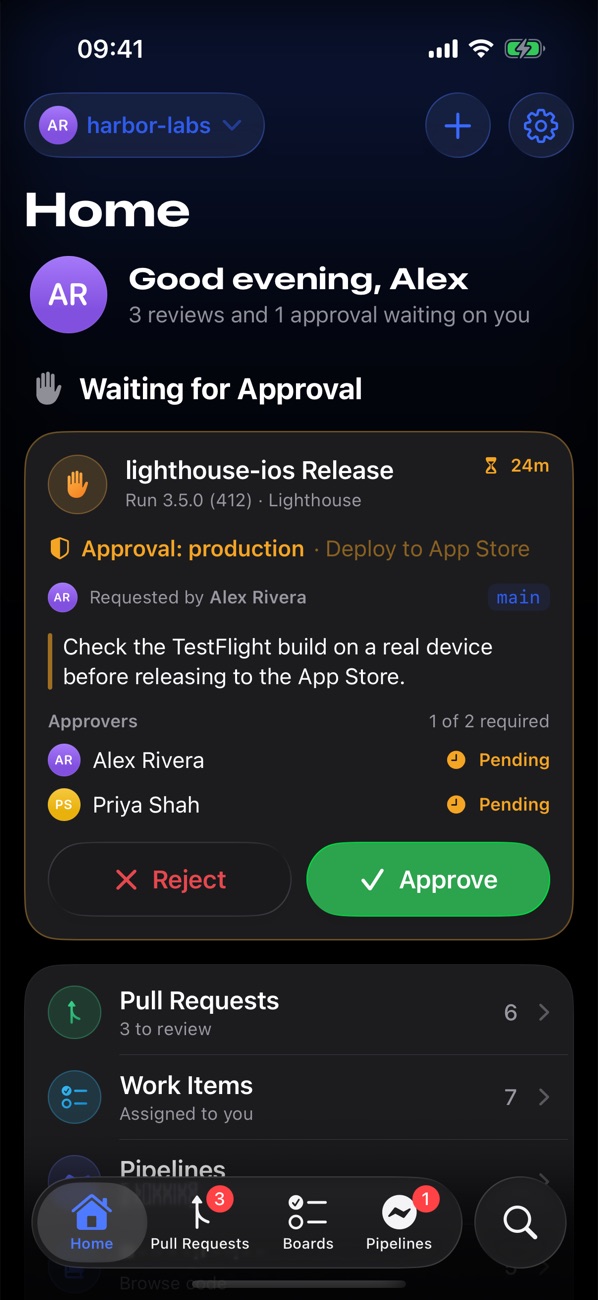
Releases waiting on you show up on Home with their instructions. Approve or reject in a tap, with a comment.
Browse code
Any branch or tag, with highlighting, rendered READMEs, commits with full diffs, and branches with ahead and behind counts.
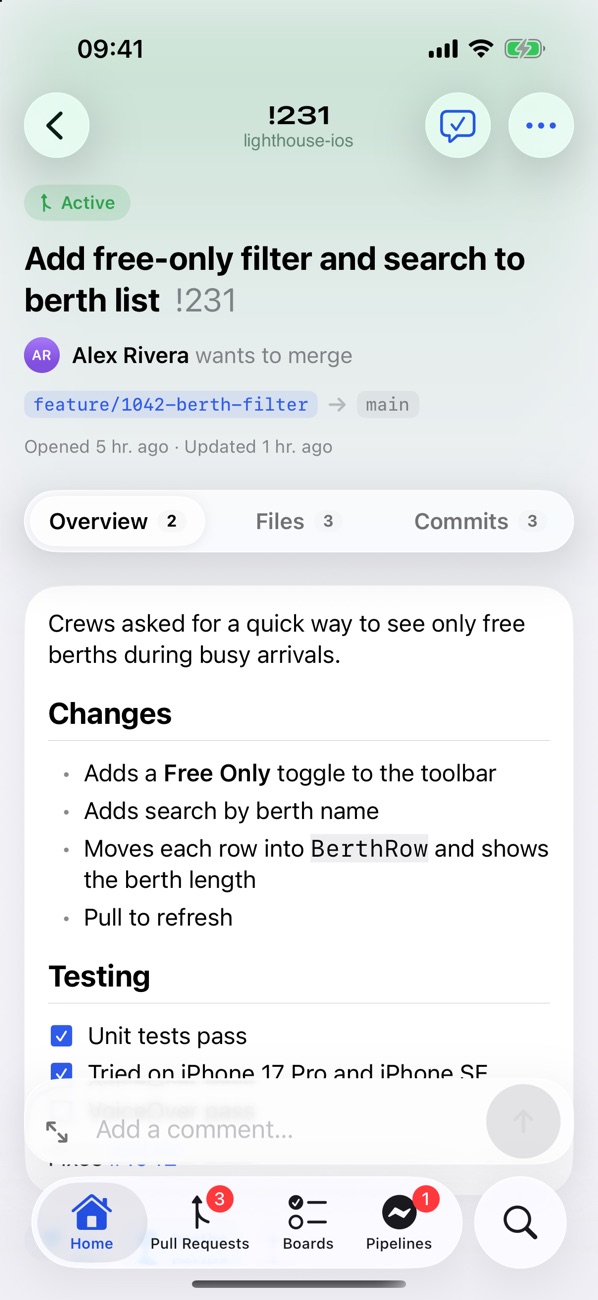
Review properly, wherever you are.
Cobalt is built around code review. Read the description, check the policies, then go through the diff file by file.
- Comments sit under the lines they're about, and a tap on any line starts a new one
- Compare all changes or just the latest push
- Reply, like and resolve threads, then vote or complete
Keep the sprint moving from the stand-up.
Your work items, the current sprint and your saved queries, with the changes you make most a tap or two away.
- Drag cards between columns, or change state with a swipe
- Descriptions, repro steps, discussion and full history
- Parent and child items with progress, and linked pull requests
Find out why the build broke before you're back at your desk.
Every stage, job and task, live while a run goes, with the errors pulled to the top.
- Logs with search and a jump to the first error
- Retry failed jobs or a single stage
- Success rate and duration charts for each pipeline
Easy on the eyes when the release needs approving at 11pm.
Every screen is designed for light and dark.
Your token talks to Azure DevOps. That's it.
No accounts, no servers of ours in the middle, no analytics. Cobalt goes straight from your phone to Azure DevOps.
No subscription to expense.
Cobalt is free, with every feature included. No trial, no team plan, and nothing to put through procurement.
Questions you might have.
How do I sign in?
With a personal access token. In Azure DevOps, open User settings → Personal access tokens → New Token, choose the scopes Cobalt should have and paste the token into the app. The support page lists the scopes each screen needs.
Does it work with several organisations?
Yes. Add a token for each organisation, or make one token for All accessible organizations and pick the organisations you want in one go. Switch between them from Home.
Does it work with Azure DevOps Server?
Not yet. Cobalt works with Azure DevOps Services at dev.azure.com and the older visualstudio.com addresses. If you'd like on-premises support, get in touch.
Can my organisation's policies block it?
If your organisation has turned off personal access tokens, or limits them with Conditional Access, Cobalt can't sign in. Ask an administrator, or try the demo to see what it does.
Will I get notifications?
Optionally. Cobalt can check in the background for new review requests, deployments waiting for your approval and your finished runs. There's no server, so they arrive when iOS lets the app check, usually within half an hour.
Can I try it without an account?
Yes. Tap Explore the demo organisation on the welcome screen for a simulated organisation with pull requests, work items and pipelines you can change freely.
Is it really free?
Yes, and it will stay free. There are no ads, subscriptions or in-app purchases, and every feature is included.
Is this made by Microsoft?
No. Cobalt is an independent app that uses the public Azure DevOps REST API. It isn't affiliated with or endorsed by Microsoft Corporation.
Get Cobalt on the App Store.
Free on iPhone and iPad, with no ads, accounts or tracking.